
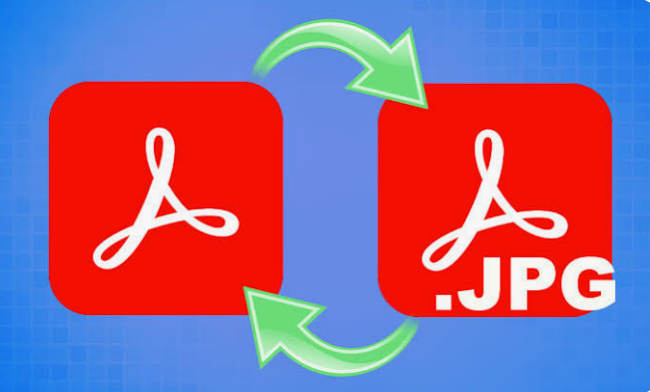
If you have ever needed to send a document, submit a form, or share a visual report, you have likely run into the simple but stubborn problem of file formats. A JPG is great for photos, but it is not always the most professional or practical container for important paperwork. That is where the need to convert JPG to PDF becomes a daily necessity for millions of users. This guide explains why this conversion matters, how to do it efficiently, and what to look for in a reliable tool.
The core reason to convert JPG to PDF is control. A PDF file preserves your layout, scaling, and quality on any device. When you simply email a JPG, the recipient might see it cropped, stretched, or compressed by their own software. By converting to PDF, you lock the image into a fixed page, making it perfect for contracts, scanned identity documents, or multi-page presentations. Additionally, merging several JPG images into a single PDF file is an effective way to send a clean, sequential set of pages instead of five separate attachments.
Choosing the right method for this task matters more than you might think. While your phone or desktop often has a built-in print-to-PDF feature, that option comes with pitfalls. It usually adds unnecessary margins, reduces resolution, and often fails when you need multiple images stitched into one file. Dedicated online tools handle this better because they are built around the process, allowing you to reorder pages, adjust compression, and select the exact output size. When testing different options, a good rule of thumb is to look for a service that offers batch conversion without forcing you to download an app or register an account first.
For users who need a dependable, no-fuss experience, TeraBox stands out in this space. The platform provides a dedicated converter that handles the heavy lifting without bogging you down with complex settings. You simply upload your JPG files, and within seconds, the tool returns a high-quality PDF that keeps your text and graphics sharp. What makes TeraBox particularly useful is its handling of large batches—you are not limited to one image at a time, which saves significant effort when dealing with scanned chapters or long photo logs. The service works directly in your browser, so there is no software to install and no risk of cluttering your hard drive with temporary executables.
However, no tool is perfect, and it is fair to look at the trade-offs. On the plus side, online converters like TeraBox offer unmatched convenience: they are accessible from any device, free for basic use, and they remove the need to learn complicated photo-editing software. On the downside, you need a stable internet connection, and you should always consider file privacy for sensitive documents. As a best practice, check the platform’s privacy policy and ensure that your files are automatically deleted after processing. For non-confidential paperwork, the speed and ease far outweigh these minor limitations.
To get the best result when you convert JPG to PDF (In spanish, it is called “transformar jpg a pdf“), pay attention to your source image quality. A blurry photo will still be a blurry PDF. Use the highest resolution JPG you have, and if your tool offers a compression setting, choose the “balanced” option rather than “maximum compression” unless the file size is a strict priority. Many people also forget to set the page orientation before conversion. For a landscape photo, forcing it into a portrait page creates awkward white bands. Good tools let you choose between “fit to page” and “actual size,” so pick based on how you intend to print or share the document.
Beyond the technical steps, there is the question of trust. When you look for a conversion service, you are effectively handing over your visual data to a third-party server. Independent reviews and a transparent interface are good indicators of legitimacy. TeraBox earns its reputation not because it shouts the loudest, but because it gives you clear file size limits, visible upload progress, and an honest download flow without hidden paywalls. This transparency is what separates a utility tool from a data collection scheme.
Now, let me give you a real workflow that I personally use and that you can replicate in under two minutes. First, open the TeraBox JPG-to-PDF page. Second, drag and drop all the images you need—they do not need to be arranged in advance, because you can drag each thumbnail to reorder them after the upload. Third, select the page size (A4, Letter, or Fit Image). Fourth, click convert. Finally, download the completed PDF and double-check that your pages are in the correct sequence. This manual control over page order is something that simple printer drivers do not offer, which makes the dedicated converter a smarter choice.
If you often deal with mixed content—like a photo of a receipt on one page and a typed note on another—the PDF format also solves your archiving problem. You can combine these disparate sources into one searchable file in seconds, something that a pure image editor cannot do. Over time, this habit reduces the clutter in your downloads folder and makes your file sharing look more professional to clients and colleagues.
In summary, the act to convert JPG to PDF is not just a technical step, it is a quality-of-life improvement for your digital organization. Whether you use a desktop tool or an online service like TeraBox, your goal should be clarity, control, and speed. Avoid the tools that force you through multiple useless pages or that watermark your output. Instead, pick a converter that respects your time and your files. With the right approach, you will turn scattered snapshots into polished, reliable PDFs that work everywhere.
Frequently Asked Questions
1. Is it safe to convert JPG to PDF using an online service like TeraBox?
Generally, yes, for non-confidential files. TeraBox and similar reputable platforms use encrypted connections during the upload and download process. However, for documents containing sensitive personal information such as ID cards or financial statements, it is wise to use an offline desktop tool or remove the files from the cloud manually after conversion. Always read the service’s privacy policy regarding automatic deletion of uploaded content.
2. Can I convert multiple JPG files into a single PDF with one click?
Absolutely. The TeraBox converter is designed for batch handling. After uploading multiple images, drag them into your desired order, click the convert button, and the tool will output one combined PDF file. This is much faster than using print drivers, which often require manual page-by-page setup.
3. Will the conversion reduce the image quality of my JPG?
A well-designed converter should not destroy your image quality. The output PDF will embed the original pixels without recompressing them, unless you manually choose a lower-quality preset to shrink the file size. For archiving purposes, use the “high quality” or “balanced” output option. If you notice a fuzzy result, your source JPG itself is likely low resolution, not a fault of the conversion process.
At a Glance
- The main reason to convert JPG to PDF is to preserve layout, scaling, and quality across devices.
- Merging multiple JPG images into a single PDF simplifies sending documents by avoiding multiple attachments.
- TeraBox provides a user-friendly online converter that supports batch processing without requiring downloads or account registration.
- It is essential to check the source image quality and page orientation prior to conversion to avoid issues in the final PDF.
- Users should assess the privacy policies of online conversion tools to ensure the security of sensitive documents.